Expanding Your Digital Library: Sharing in Libby
Published on February 17, 2026
By Beth B.
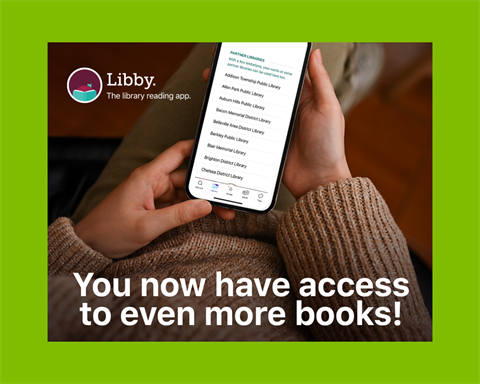
We’re excited to share a new way for you to discover more eBooks and eAudiobooks than ever before—at no additional cost and with the same library card you use today. Siouxland Libraries cardholders can now borrow from not just one, but three large digital collections in the Libby app, thanks to a new Reciprocal Lending Agreement (RLA).
What Is a Reciprocal Lending Agreement?
A Reciprocal Lending Agreement (RLA) is a partnership between library systems that lets cardholders at one library borrow certain digital titles from other participating libraries. For Siouxland Libraries users, this means your card now lets you browse and borrow eligible titles from the South Dakota Digital Consortium and the Black Hills Library Digital Consortium. The best part is there is no additional cost for you, Siouxland Libraries, or libraries across the state. It’s simply a way for libraries to share selected digital materials; giving you access to thousands of additional eBooks and eAudiobooks.
Why This Matters—Especially as Hoopla Ends
Siouxland Libraries’ hoopla service will end after March 31. We know users enjoyed the wide range of eBooks and eAudiobooks in hoopla. The RLA helps fill that gap by:
- Giving you more choice:
If a title is checked out in one collection, you might find it immediately available in a partner collection.
- Expanding genres and authors:
Each consortium curates and purchases different titles, so you’ll see new topics and voices you may not find in the Siouxland collection alone.
- Keeping access simple and familiar:
Everything is available through Libby, so you don’t need to switch apps to search for a title.
Ready to Get Started?
Our partner libraries, South Dakota Digital Consortium and Black Hills Library Digital Consortium, will be added automatically when you sign into Libby with your Siouxland Libraries card.
If you are experiencing problems, such as Libby requesting to verify your card or the partner libraries have disappeared from your app, please remove and re-add your card. Here are instructions.
Now, when you search for a title or author, Libby will search all three digital collections. Or you can select a collection to explore and borrow eligible titles. The red star indicates the library you are currently using.
Borrowing from other collections works the same as ours. Simply tap on the title and choose Borrow.
A Few More Things to Know
- As a Siouxland Libraries cardholder, you are considered a visitor to our partner collections and their cardholders are considered visitors in ours.
- Visitors are unable to place holds.
- Partner libraries set the loan periods for eBooks and eAudiobooks in their collections. Double-check the loan period above the Borrow button on the item page.
Where to Learn More
If you have questions about using Libby, adding partner libraries, or understanding what you can borrow, staff at Siouxland Libraries are ready to help explain the basics and get you started!